
Update
Make a wish in Minecraft, and watch it come true
Moddy the Wish Watch is a pocket watch that sits in your hotbar. Open it, type what you want in your own words, and Moddy makes it right in front of you: a dragon that follows you around, a castle with a lava moat, a sword that calls down lightning.

The 1-minute trailer · plays from YouTube when you press play
What a wish feels like
You open the watch and type, say, a castle made of candy and cake. Then you look at an empty patch of ground and press Make my wish. A tall pillar of light marks the spot, and a whirlwind spins up. The castle rises out of it, block by block, at its real speed.
That's where the fun starts, because a wish isn't final. Say make my cake castle bigger and it grows. Changed your mind? Press Undo my last wish; the castle disappears and you get the wish back to spend again. Stuck on what to do next? Press What do I do now? on your watch for a hint.
When you join
Anyone can play, and it's free with your own copy of Minecraft. You arrive on your own little island in the sky, with one tree, a chest, and Moddy the Wish Watch already in your hotbar. Moddy shows you how it works as soon as you land.
Everyone starts as a Wish Crafter. A Wish Crafter can wish for anything Moddy can build from Moddy's Parts, its big kit of bodies, powers, blocks and effects, with thousands of possibilities. Type what you want, and Moddy's Apprentice finds the closest things it can make: pick one, and it's ready in moments. Or open the Wish Builder and put it together yourself: pick a body, give it parts and powers, choose the size, and press Make it! It works by touch on a phone, too.
If you're 18 or older, you can also sign up to become a Wish Magician. A Wish Magician types any wish in their own words, and Moddy makes it from scratch, even things nobody has ever wished for before. While it works, Moddy talks to you in chat, telling you what it's building, and a Wish Magician can ask Moddy anything, like what can I do in my cake castle?, and get an answer.
Five kinds of wishes
Moddy's watch comes with a dozen ready-made wishes to try first. Each one is really a kind of wish, so once you've made it, try asking for something like it.
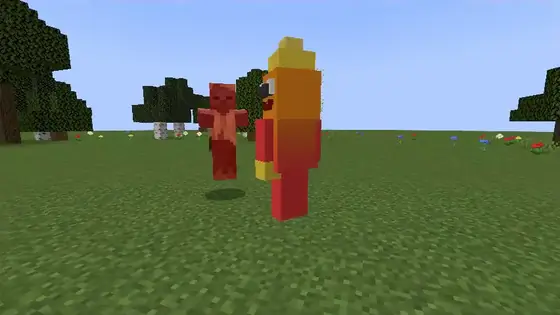
Creatures and pets walk, swim, fly and follow you. Ask for a pet dragon that breathes fire, and Moddy tells you it follows you and breathes fire, "but never at you". Ask for a giant beast you can ride, and you get a T-Rex that leaps when you jump; when it lands, the ground shakes and the monsters go flying. You can climb on dragons, dinosaurs and unicorns too.
Buildings go up in front of you: a huge castle with a lava moat, a floating island, an underwater dome. Go big, too: a mansion, or a whole mushroom town, with a guard at your gate.
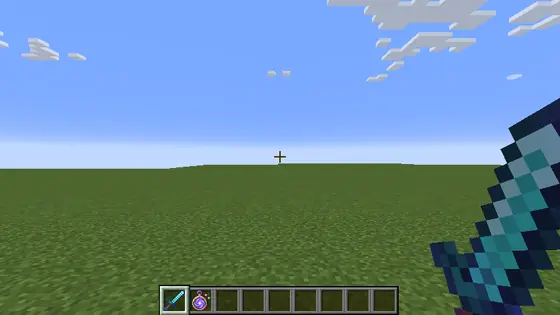
Things that do something have a power of their own. The lightning sword strikes whatever you hit. The slushie machine fills up when you hold ice and pull its handle, then pull again to pour (one ice makes a small slushie, three make a big one). A lucky block usually gives you a present when you break it: diamonds, cake or golden apples. Sometimes a pig or a chicken pops out, and once in a while, boom. Ask for boots that double jump, and Moddy explains that a real double jump isn't possible in Minecraft, so these jump extra high instead.
Pictures are pixel art hung up in the world, like a giant creeper face.
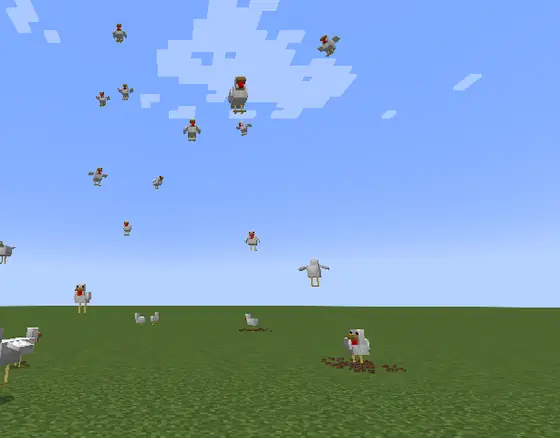
Things that happen are the big moments: a meteor that leaves a smoking crater, or chickens raining down all around you. Say undo and the ground comes back, and the chickens fly off home.
If something doesn't come out quite how you pictured it, wish again and say what to change. That's half the fun.
How to join
You don't need to download or install anything. An ordinary copy of Minecraft is enough: Java Edition on a computer, or Bedrock on a phone, tablet or Windows PC.
- Open Minecraft and go to Multiplayer (Java) or the Servers tab (Bedrock).
- Add a server with the address
moddy.world. On Bedrock, use port 19132. - Join, and press your watch. When it asks about the resource pack, say Yes. Your first wish is waiting.
On Java, use version 1.21.8 or newer. If the Multiplayer button is grey, a family-group setting has it switched off. The guide shows the player's guardian how to switch it on in about two minutes.
For a player's guardian: Moddy is a small play test run by one family on its own servers. Moddy keeps every wish kind: each one is checked before anything is built, and wishes are for you, not aimed at other players. What we keep, and for how long, is on the privacy page, and questions go to a real person.